Residential Demolitions in Austin
Residential Demolitions in Austin
Overview
In this tutorial, we will combine two tables of construction permit data — full and partial demolitions — into a single composite table using a stack operation. We will also add a derived demo_type column to each source table before stacking, so the combined result distinguishes between demolition types.
This workflow is based on an Austin American-Statesman analysis of residential demolition trends across central Austin neighborhoods.
Data Sources
Data comes from the City of Austin’s construction permit records, downloaded from the city’s open data portal and split into two files:
full-downloaded.csv— permits for complete home demolitions.partials-downloaded.csv— permits for partial home demolitions.
Workflow Steps
Pre-processing
No pre-processing is required. The CSV files can be imported directly into OpenRoundup.
OpenRoundup Steps
- Import
full-downloaded.csvandpartials-downloaded.csvinto OpenRoundup.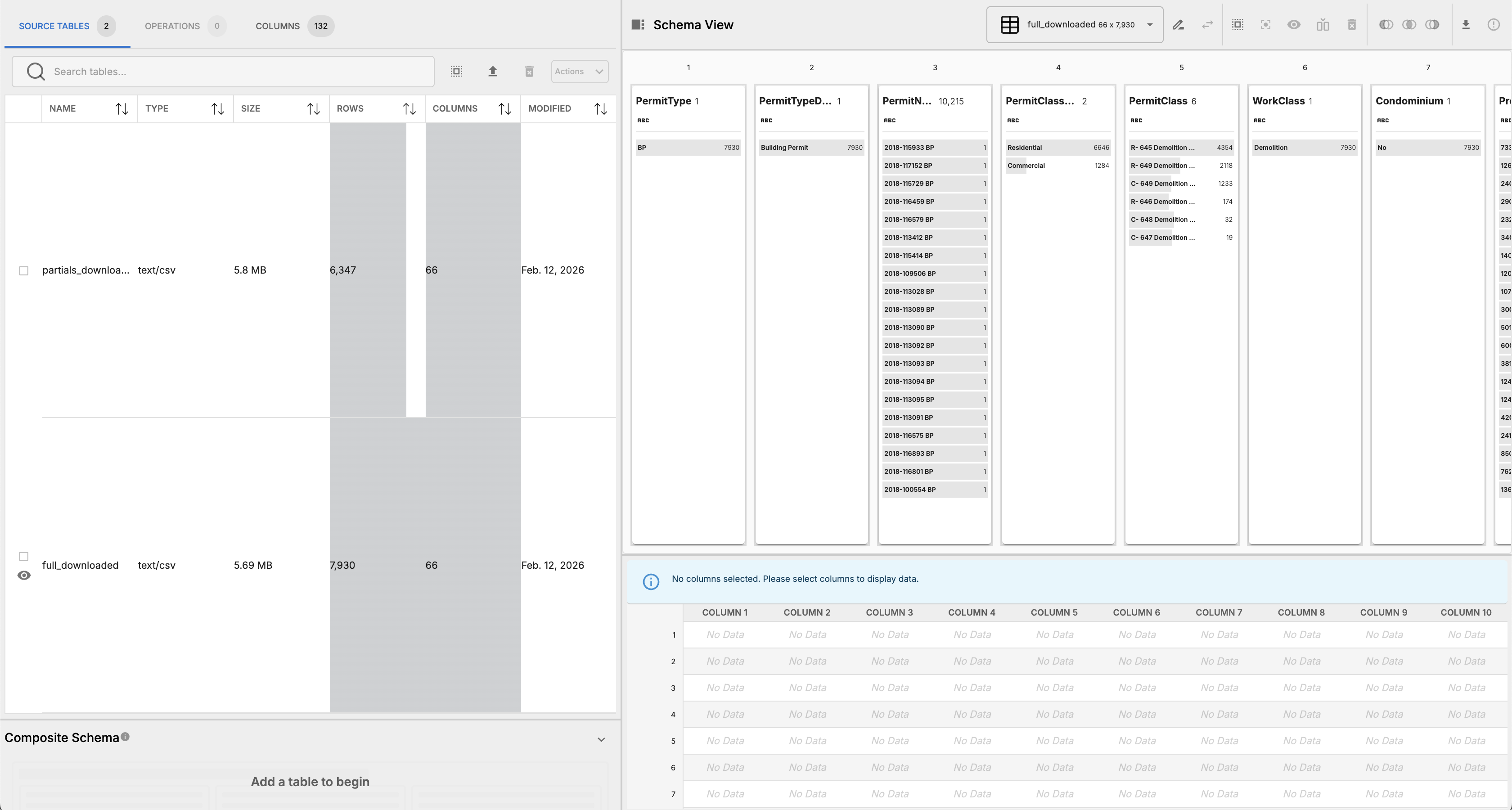
- Stack these two tables together, which will combine the rows from both tables into a single composite table.

- In the
partials-downloaded.csvtable, insert a new column at index one nameddemo_typeand populate all rows with the valuepartial.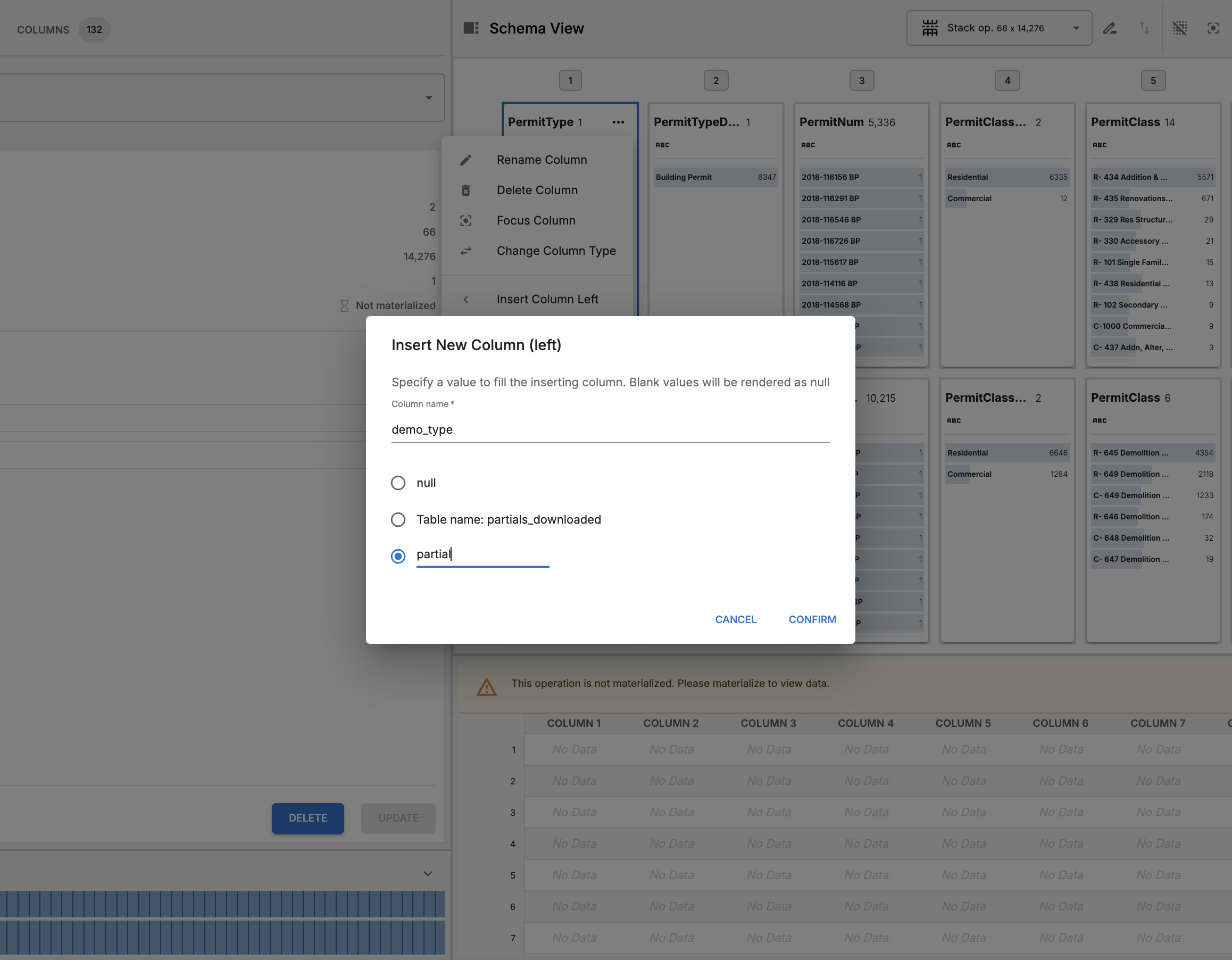
- In the
full-downloaded.csvtable, insert a new column at index one nameddemo_typeand populate all rows with the valuefull.
- Inspect schema results, the alert shows that there are some columns with different types at indices: 11, 60, and 67. We can see that these are caused by values with a hyphen in it, and we can safely ignore it for now because this alert is just a warning and will not cause any issues with the stack operation.

- Export the composite table.