Interface overview
This page provides an overview of the OpenRoundup interface. OpenRoundup is comprised for four persistent views, The Data Objects View, the Schema View, the Table Row View, and the Composite Schema; and one on-demand view, the Column Focus View.
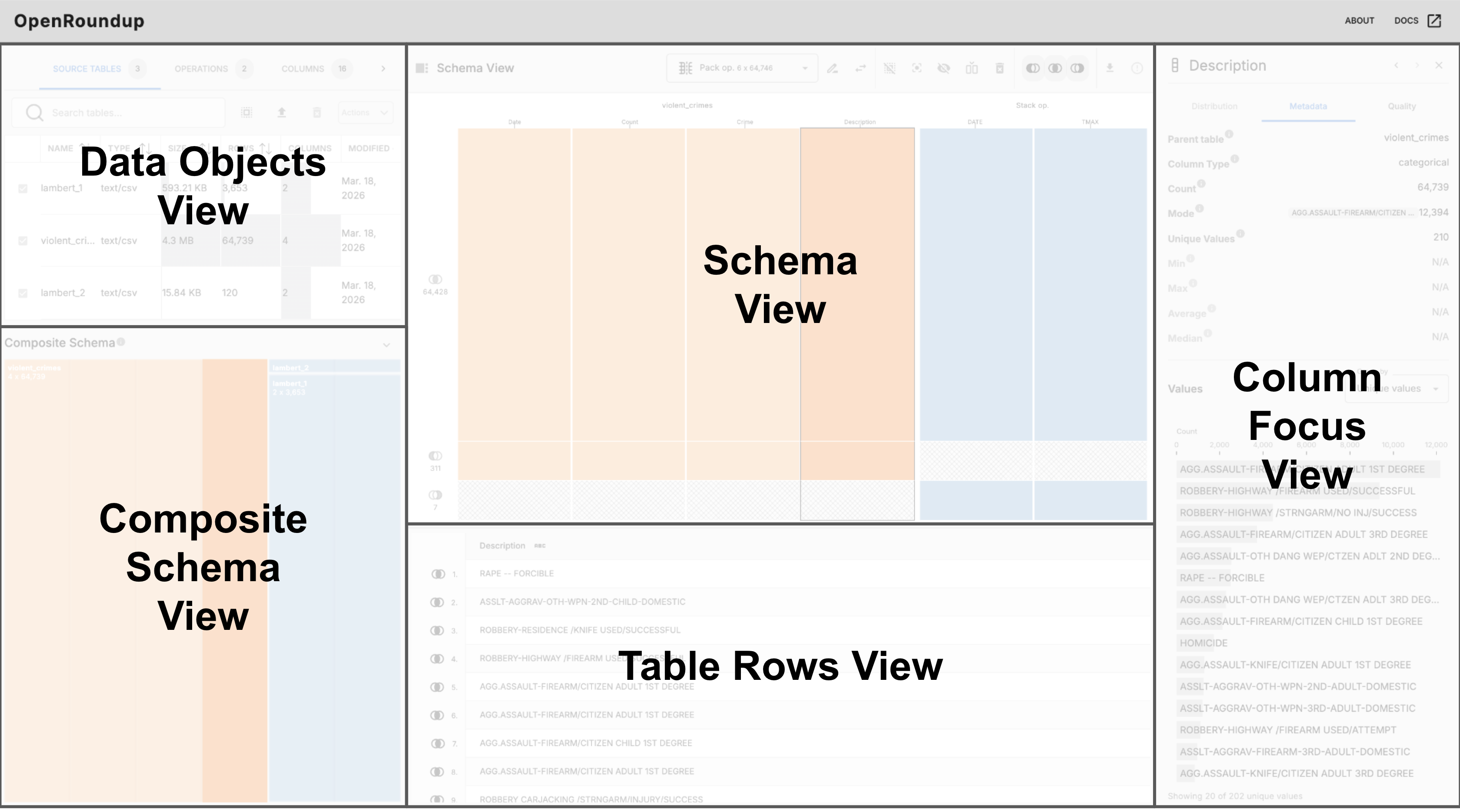 The OpenRoundup interface, with each view labeled and the Column Focus View displayed.
Each of these views serves a specific purpose in the workflow of combining tables together and analyzing data. The overall interface is designed to be intuitive and user-friendly, allowing users to easily combine tables together and explore their data. Each view is resizable by clicking and dragging the borders between views, this allows you to customize the interface to your needs and focus on the views that are most relevant to your current task. Visualizations and UI elements are designed to be responsive within each view.
Views
- Data Objects View — Displays lists of tables, operations, and columns in your workflow.
- Schema View — An interactive overview of the focused table or operation’s schema, including column metadata.
- Table Row View — Displays the rows of the focused table or materialized operation in spreadsheet format.
- Composite Schema View — Displays the combined schema of all source tables in the workflow.
- Column Comparison View — Compares values and metadata across columns.
- Column Detail View — Shows detailed information about a specific column.